Image Gallery QR Code Generator
Share a whole gallery of images behind one scan. Showcase your portfolio, properties, or products on a mobile page, and update the images anytime without reprinting.


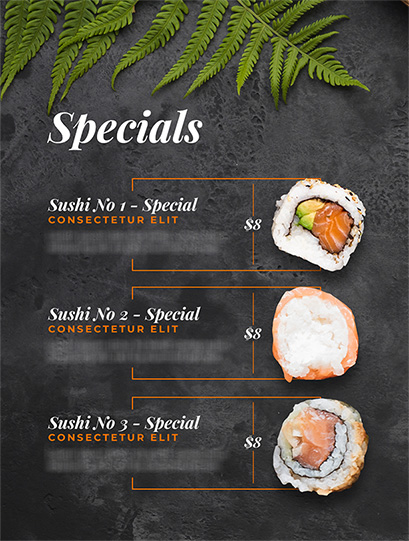
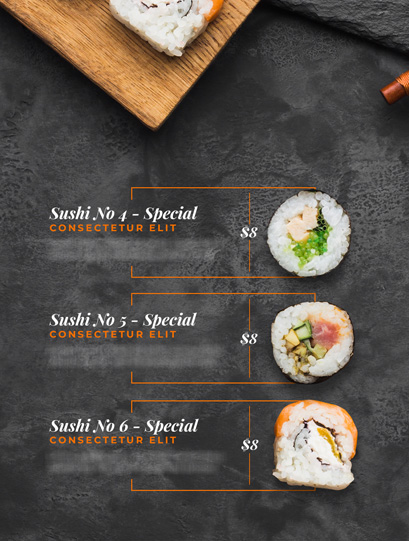
Image to QR Code: Create a QR Code for Images
Convert images into a QR code and share them with your consumers. Create one QR code for multiple images and let your audience view them together in a mobile-friendly image or photo gallery.


What Is an Image QR Code?
An image QR code lets you share multiple images with your audience. Users can scan the code to get instant access to the image gallery.
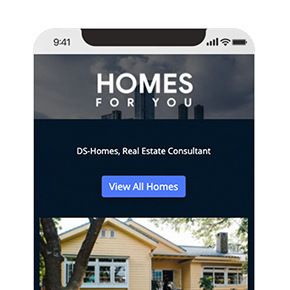
Use an Image Gallery QR Code to share a photo gallery, portfolio, property photos, product images, food photography, travel destinations, hotel facilities, and other visual content through a single QR code.
You can also update the images in your gallery without creating or printing a new QR code.
Benefits of an Image QR Code
An image QR code enables effortless image sharing, and it can boost your marketing and lead generation efforts. Here are the benefits of an image QR code.
- An image QR code streamlines image sharing, allowing you to easily share images with your audience with a single scan.
- Distributing an image QR code is a mobile-friendly way of sharing images. We live in a mobile-driven world, and an image QR code will help you cater to a mobile audience.
- You can share an image QR code online (social media, email, landing pages) and offline (newspapers, billboards) to ensure maximum reach and engagement.
- If you rely on images for marketing, an image QR code is one of the most cost-effective and durable marketing tools to use.

Create and Manage Picture QR Codes with QRCodeChimp
QRCodeChimp's image QR code generator offers various features to help you create image QR codes and track their scans. Here’s a quick overview of our image QR code generator:


Who Should Use an Image QR Code?
An image gallery QR code is an effective marketing tool for all businesses that use images to engage users. You should use an image QR code if you are:


How Does an Image QR Code Work?
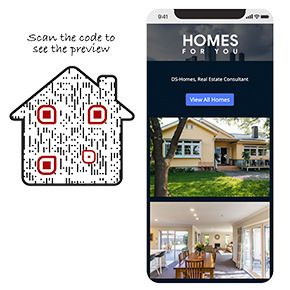
A picture QR code makes it easier to share images with your consumers. Here's how an image QR code works:

How to Get More Scans on Your Image QR Code?
Follow these tips to make your image QR codes user-centric and get more scans.
Find the right size
Your QR codes should be easy to scan, and the best way to ensure it is by creating QR codes of the right size. Ideally, you should print QR codes of at least 0.8 x 0.8 inches.


Give them a perfect look
The design of your image gallery QR code plays a vital role in getting more scans. People will scan your QR code more frequently if it looks visually appealing. Use different shapes and colors to give your image QR codes an exciting and relatable look.
Use CTAs to inspire action
Calls to action (CTAs) can boost the scan rate of your image QR code. Include CTAs with your image QR codes to inspire action and get more scans.


Leverage multiple channels to increase reach
Distribute your QR code across channels to reach more people and get more scans. You can download the image QR code as a PNG and PDF file and share it on online and offline channels.
Frequently Asked Questions
- How to create an Image Gallery QR Code?
- Why should I use image QR codes?
- What information can I display in an image QR code?
- How can a user access images attached to an image QR code?
- What image file formats does QRCodeChimp's image to QR code generator support?
- Can I create one QR code for multiple images?
- Can I create a QR code for a photo gallery?
- Can I change the images after printing the QR code?
- Do users need an app to view the image gallery?
Frequently Asked Questions
How to create an Image Gallery QR Code?
QRCodeChimp lets you create an image gallery QR code easily in a few steps. Here’s how you can make an image QR code.
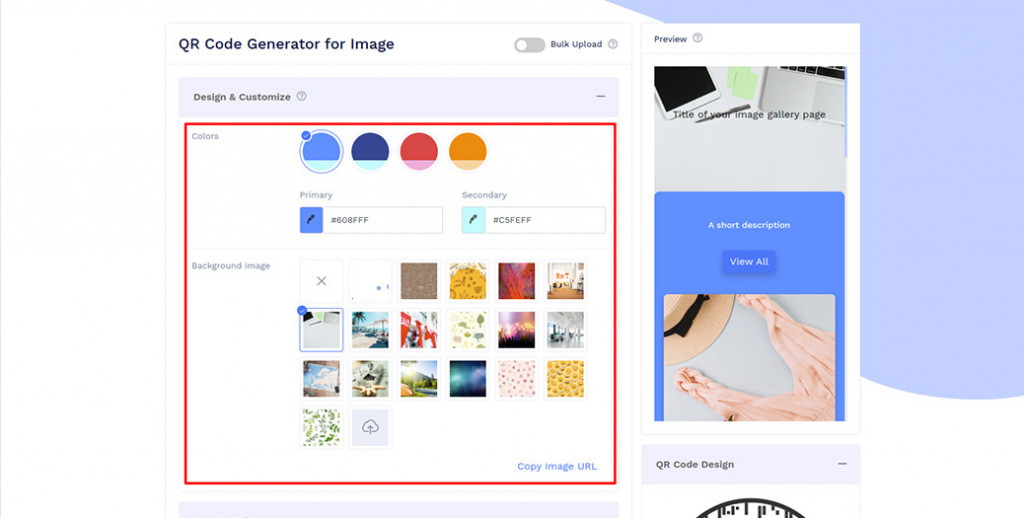
Step 1: Select Color and Background
Design and customize your Image Gallery display page with colors and the background image of your choice.
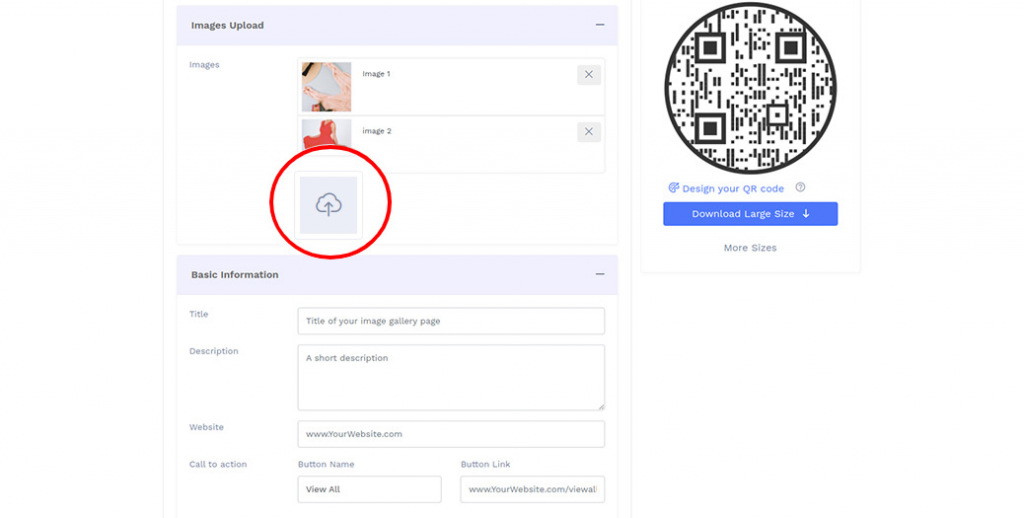
Step 2: Upload Images
Upload images in the Image Upload section.
Note: You can upload upto 32 images.
Step 3: Enter Basic Information
Enter the basic information details you want to display.
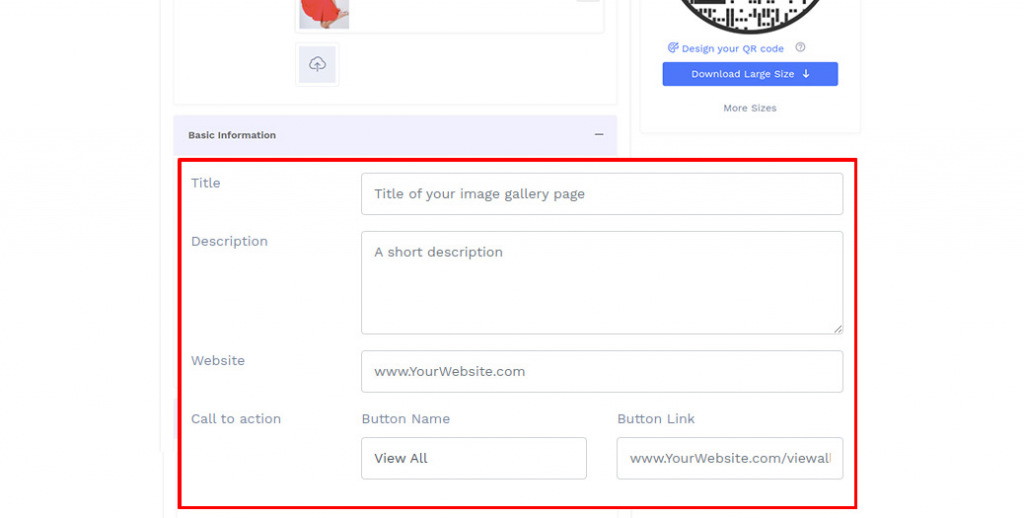
Step 4: Upload Page Loader Image
Select the default page loader image or upload the loader image of your choice.
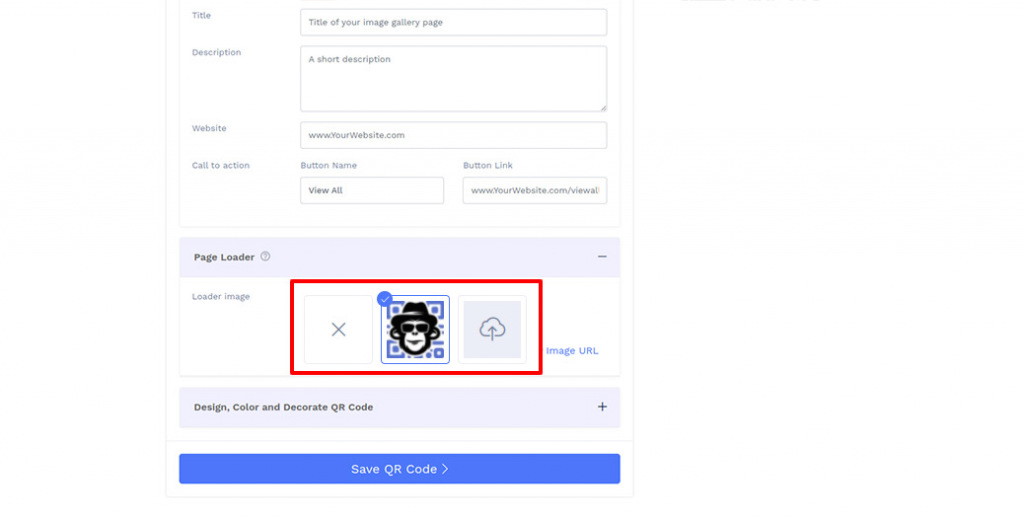
Step 5: Design Your QR Code
Click on 'Design Color and Decorate QR Code' to customize your QR Code design (ex: adding color, shape, sticker).
Note: Click on the 'x' icon of the 'Customize QR Code' popup to save changes.
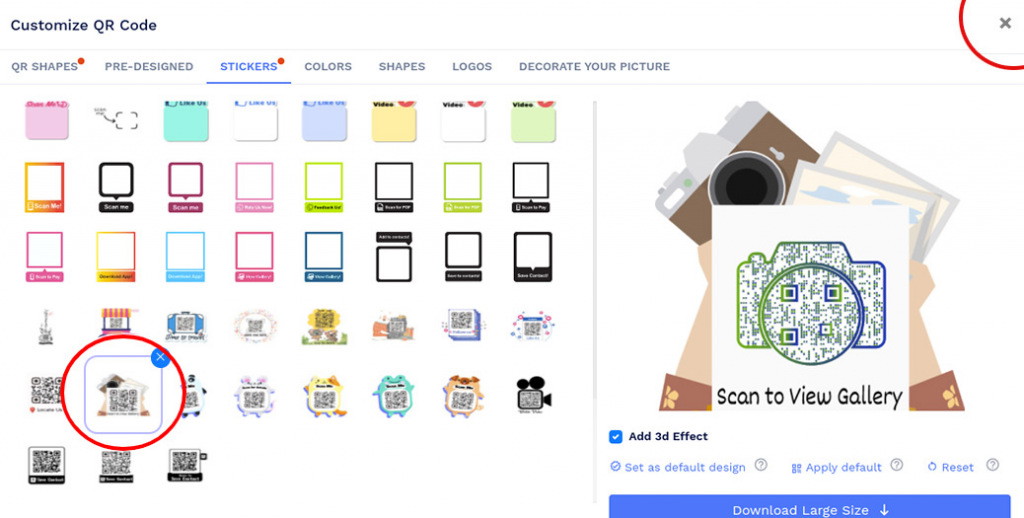
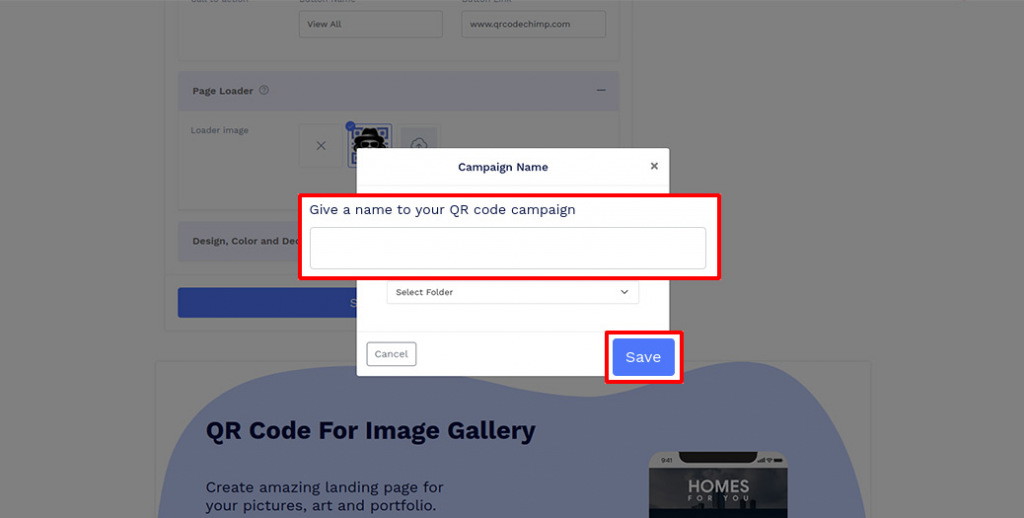
Step 6: Save and Download
Save the QR Code by clicking on the 'Save QR Code' button, entering the QR name, and then clicking on 'Save.'
Note: Make sure to scan your QR Code from different devices (iOS and Android) before printing for production.
Why should I use image QR codes?
A picture QR code makes it easy to share multiple images with your audience through one scan. It is particularly useful when you want to connect printed materials with additional visual content without fitting every image onto the printed piece.
You can use image QR codes on brochures, catalogs, packaging, advertisements, signs, property listings, portfolios, and other marketing materials.
What information can I display in an image QR code?
QRCodeChimp's image QR code generator lets you include up to 32 images per gallery. You can also add a gallery title, description, website, call-to-action button, background, and page loader image.
How can a user access images attached to an image QR code?
Viewing images from an image QR code is easy. Users simply scan the image QR code, and the Image Gallery page opens in their browser.
They can then browse the images without installing a separate app.
What image file formats does QRCodeChimp's image to QR code generator support?
QRCodeChimp's image QR code generator supports commonly used image formats, including JPG (JPEG), PNG, and GIF.
Can I create one QR code for multiple images?
Yes. An Image Gallery QR Code lets you share multiple images using a single QR code. When someone scans it, they are taken to an image gallery where they can browse all the images you have added.
Can I create a QR code for a photo gallery?
Yes. You can create a photo gallery QR code by uploading multiple photos to an Image Gallery. Users scan one QR code to access the complete photo gallery on their phones.
Can I change the images after printing the QR code?
Yes. You can update the images in your Image Gallery without creating or reprinting the QR code. The same QR code continues to direct users to the updated gallery.
Do users need an app to view the image gallery?
No. After scanning the QR code, the Image Gallery opens in the user's browser, so they don't need to install a separate app.
Hear What Our Customers Have to Say!

The amazing variety of designs you offer to make the QR codes more appealing!
My experience with QRCodeChimp has been very interesting. It’s the only platform I came across that allowed me to create a QR code for an instant WhatsApp message link. Plus, the amazing variety of design options helped me customize my QR codes and make them look enticing. As soon as I created those beautiful preset designs, I knew I would have to bookmark this website.
Tracking facilities, I really love this website!
QRcodechimp is amazing and totally customizable. I tried many QR code generators and got nothing. I like QR code customization the most. I would like to rate QRCodeChimp 9.5

Now its easy to find Dr. Diabeat
Hi, this is Dr. Dharmendra Panchal, Founder Chairman, Diabeat - Digital Diabetes Clinics. We are currently using a QR code that easily leads our customers to find the nearest Dr. Diabeat Digital Diabetes Clinic available and keeps our clients connected to us. QRCodeChimp is very easy to use and does work for all my clients.
Creating QR codes was very easy!
Hello, I'm Marion, and I'm preparing an online congress. I have developed 10 digital guides; these guides are presented in my book and can be accessed directly via a QR code. Creating QR codes was very easy, and it worked well, generating 15+ codes quickly and easily. Thank you, and we look forward to coming back to the platform for our next project.
We feel very happy to provide a rating of 10 out of 10!
We are very much satisfied and really appreciate the QR code service provided by QRCodeChimp.com Customization features like different styles, colors, and adding a logo make the QR codes attractive. Also, PDF generation is up-to-date. QRCodeChimp.com is very useful for our startup business.
Thank you for your hard work and for the wonderful service/product you provide!
I am very pleased with the free plan and fascinated by the included features. It's amazing how much better your product is compared to other free generators available. And basic analytics... OMG, it's awesome! You guys are awesome! I'm hooked, and you now have my loyalty. If I need a creative and appealing approach for my presentations, QRcodeChimp is my game. QRCodeChimp is a solid 10+
Simple and elegant card pages
We rolled these out for our sales team and the scans simply work. Support is quick too.
I think your service is absolutely awesome, user-friendly and innovative to say the least.
I played around with various designs and was absolutely amazed by the variety of functions and designs you have available. I could use and create multiple designs according to each of my advertisement needs. The functionality is great and the scans are trackable in a simple dashboard making it easy to see how many prospective customers scan your QR Code. It really offers so much!
Variety of shapes is fantastic!
The QR code is great, having the ability to include a logo in the middle. I used QRCodeChimp to create a code for our club event registration because I was offering entry to the staff of a sponsor, so I wanted a great way to capture their interest. We were fortunate that our club's mascot, a turtle, is included in the range of shapes that QRCodeChimp has as standard.
Everything is perfect, I would recommend it to all my friends
I uploaded the QR Code created by your website in my smartwatch, and whenever someone asks me for my contact details, I extend my arm for them to scan the watch; people think this is one of the coolest ways they've seen to exchange contacts.